FlashReel: AI Video Maker
- 0.0
- Rating
- 10.00K
- Installs
- Free
- Price

 Analysis by App-foxy
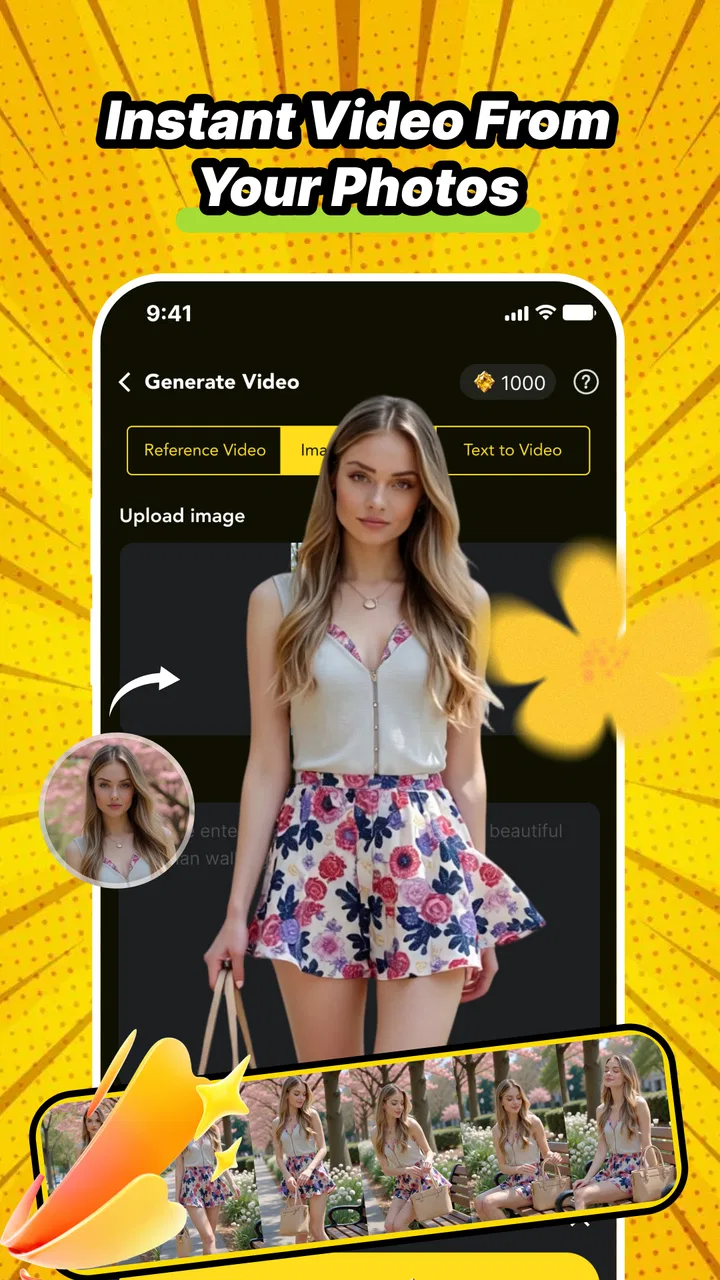
I opened FlashReel: AI Video Maker looking for a quick way to turn ordinary photos into something more lively. It sits in the Art & Design category, but I found its appeal closer to a lightweight visual storytelling tool than a traditional drawing app. The basic idea is simple: start with a photo, apply an AI-driven animation treatment or a creative video template, and finish with a short piece of content that feels more dynamic than the original image.
That starting point matters because this is not the app I would choose for detailed manual editing. I would reach for it when I already have the raw material and want help finding a visual direction. A holiday snapshot, a product image, a portrait, or a small collection of pictures can become a starting point for experimentation without requiring the patience normally associated with desktop video software.
My overall impression is positive, with an important qualification: the value comes from speed and creative prompting, not from precise control. If your goal is to make something attractive quickly, it has a clear purpose. If you need exact timing, carefully controlled motion, or a fully transparent production process, the experience may feel restrictive.
You May Also Like

 AccuWeather: Weather Radar
AccuWeather Review: A Quick, Clear Forecast for Everyday Decisions
For everyday plans, the best forecast is the one you can understand quickly. AccuWeather makes rain timing, radar, and local conditions easy to act on, with a few trade-offs.

 Hill Climb Racing
Why Hill Climb Racing Still Turns Crashes Into One More Run
A tiny car, a bumpy hill and one more upgrade: Hill Climb Racing keeps resurfacing because its simple chaos makes every near-miss feel personal.

 AliExpress - Shopping App
AliExpress Makes Global Shopping Feel Personal, but Shoppers Bear the Risk
AliExpress turns a global marketplace into a pocket-sized discovery engine. Its reach is useful, its shopping loop compelling, and its trade-offs easy to miss.

 Lords Mobile: Kingdom Wars
Lords Mobile Is a Kingdom-Building Routine, Not a Quick Match
A case-by-case verdict on the building, battles, device demands, and social commitments that make Lords Mobile rewarding for some players and exhausting for others.

 PDF Scanner app - TapScanner
TapScanner Makes Paperwork Easier to Capture, Check, and Share
TapScanner makes scanning with a phone feel less like a rescue operation and more like a dependable step in getting work done. Its capture tools are useful, though not flawless.

 Block Blast!
Block Blast! Shows How Much a Puzzle Game Can Leave Out
A quiet grid game shows why puzzle players increasingly value instant clarity, repeatable skill and low-pressure play—and where the genre still needs to catch up.
More From Our News Desk
View All News


From a still photo to a shareable visual
I find the most useful way to think about this workflow is as a series of small creative decisions, not a single tap that guarantees a finished video. A strong source image gives the animation or template more to work with, while a quick side-by-side comparison can reveal whether added motion actually helps the subject. From there, the next question is how the app feels when I test several directions in one sitting.
The right starting condition
The most successful workflow begins before opening the editor. I would choose a photo with a clear subject, reasonable lighting, and enough visual separation between the main object and its background. AI animation tools tend to make more convincing suggestions when the image has an obvious focal point. A sharply framed portrait or a clean product shot gives the app a better foundation than a crowded group photo with several competing subjects.
This is one of the first practical lessons I took from using it: the application can add movement and style, but it cannot completely rescue a weak source image. A blurry photograph may still produce an interesting result, yet the animation can draw attention to flaws that were less noticeable in the original. For a quick social post, I would prepare two or three candidate images rather than committing immediately to the first one in my gallery.
FlashReel is free to install, which makes that trial-and-error approach easier to justify. It is developed by ZeroOneSol and has reached over ten thousand installs, so it is still a relatively small product rather than an established editing suite with a long history. The current release is version one point zero, and it runs on Android seven point zero or later.
Choosing between animation and templates
Once the image is selected, the creative decision becomes more interesting. I see two broad paths in the app: animate the photograph with AI, or explore a ready-made video template. These approaches solve different problems.
AI animation is the better first move when the image itself is the star. A portrait, a landscape, or a single object can gain a sense of motion without being surrounded by unrelated visual elements. Templates are more useful when I want a finished mood quickly, especially when the original photo is only one part of a larger story. The template route can provide a stronger visual frame, while direct animation usually keeps the source image more recognizable.
I would not treat the first result as the final answer. The most useful workflow is to compare the two directions before investing time in polishing one. A template may look more dramatic at first glance, but it can also overpower the photo. Conversely, a restrained animation may feel less exciting in the preview while working better for a personal memory or a product presentation.
A practical sequence for everyday use
For a realistic example, imagine I have taken a few photos at a friend’s birthday and want to send a short visual recap rather than a folder of still images. I would begin with the clearest portrait or detail shot, test the AI animation, and then try a template that supports a celebratory mood. I would compare the two previews on a phone screen, because an effect that looks subtle on a larger display may become almost invisible on a small one.
After that, I would select the version that communicates the moment most clearly. This is where the app feels more approachable than a conventional editor: I am making a creative choice from prepared possibilities instead of building every transition manually. The trade-off is that I am accepting the app’s interpretation of the image. I can guide the direction, but I am not working frame by frame.
A useful habit is to keep the source image available until the outcome is checked. I would not delete or overwrite the original, particularly when testing several styles. The animated version is an interpretation, not a replacement for the photograph. Keeping both also makes it easier to return later if a different template suits the same image better.
Where the handoffs happen
The important handoffs in this workflow are between the photograph, the AI treatment, the selected template, and the final visual result. Each handoff can change the character of the content. A clean photo may become more expressive after animation, then become less personal once a strong template adds its own framing and rhythm.
I found it helpful to judge each stage separately. First I ask whether the photo is worth using. Next I ask whether the movement supports the subject or merely makes it busy. Finally I ask whether the template improves the message or hides what made the original image appealing. This prevents the common mistake of approving an effect simply because it is noticeable.
The same thinking works for a small business owner preparing a product post. I would use a clear product image, test a subtle animated treatment, and then compare it with a template designed around a more energetic presentation. The handoff to the final post should preserve the product’s shape and color. If the style becomes the main attraction, the workflow has moved away from the actual business goal.
What the finished result is good at
The strongest outcome is a short, attention-catching visual that would take longer to assemble manually. FlashReel is well suited to people who have photos but lack a clear editing plan. It gives them a way to explore movement and presentation without first learning a timeline, keyframes, layers, and detailed export settings.
I especially like the possibility of using it as a first-draft machine. Instead of trying to perfect one idea from the beginning, I can make a few visual directions, identify the one with the best emotional or commercial fit, and then decide whether it is good enough to share. That is a different role from a professional editor, but it is genuinely useful for casual creators.
It also works for personal messages. A single animated photo can feel more thoughtful than sending the still image alone, particularly when the image already carries a clear memory. The app’s value here is not that it replaces a full montage; it lowers the effort needed to add a little movement and atmosphere.
Where the flow breaks
The workflow becomes less comfortable when I want exact creative control. AI-generated motion can be convenient, but convenience means accepting some uncertainty in the result. If a specific part of the image must remain perfectly still, or if the timing has to match a spoken line, a traditional editor is likely to be the better choice.
Templates bring their own limitation. They can help me reach a polished-looking result quickly, but they also encourage a recognizable, preset-driven style. That is fine for casual content, yet less suitable when a brand needs a distinctive visual identity. A designer who already knows how to build a composition may find the template route faster for brainstorming but too limiting for final delivery.
There is also a practical cost consideration. The app is free, while in-app purchases range from one dollar and ninety-nine cents to ninety-nine dollars and ninety-nine cents per item. I would therefore explore the free experience first and decide whether the available workflow genuinely saves me time before paying for anything. The broad purchase range makes it especially important to check the purchase screen carefully and think about whether I need occasional experimentation or repeated production.
The mature seventeen-plus content rating is another reason I would not treat it as an automatic choice for every family device. Parents should consider that rating before handing it to younger users, even if the intended project is simply a harmless photo animation. For adult creators, the rating is a reminder to use ordinary care when selecting and sharing personal images.
How it compares with familiar alternatives
Compared with a standard slideshow editor, FlashReel is more focused on transforming the individual photo. A slideshow tool is usually the better option when I have a sequence of images, need dependable ordering, or want to control the relationship between several moments. FlashReel makes more sense when one image needs a creative lift or when I want to test a visual concept quickly.
Compared with a full mobile video editor, it removes much of the manual work. That can be a major advantage for someone who finds timelines intimidating. The downside is that I give up the detailed control that makes those editors valuable. I would choose a full editor for a commissioned video, a carefully timed announcement, or any project where revisions must be precise.
Compared with a design app built around static layouts, this tool has a more animated starting point. A design app may be better for text-heavy graphics, posters, and exact brand placement. FlashReel is the more natural choice when the photo should remain central and the desired improvement is movement rather than typography.
Who should try it
I would recommend it to casual creators, social media users, small sellers, and anyone who wants to turn a good photo into a more engaging visual without learning a complete editing system. It is also useful for people who often have ideas but abandon them because the production process feels too long.
The app is a particularly good fit when the desired result is short, visual, and exploratory. I can imagine using it for a birthday greeting, a small product teaser, a travel memory, or a quick concept draft. In each case, the user benefits from moving from image to idea with fewer technical decisions.
I would skip it when the project depends on exact edits, extensive audio work, detailed text design, or a consistent professional identity across many videos. I would also look elsewhere if I needed a predictable result every time. AI-assisted creativity is most valuable when I am open to suggestions and willing to reject a few outcomes.
My final workflow recommendation
My advice is to treat FlashReel as a creative shortcut rather than a complete production studio. Start with a strong image, test both the direct animation and template approach, and judge the result on the device where people will actually see it. Keep the original photo, compare alternatives before purchasing anything, and make sure the effect supports the subject instead of competing with it.
For me, the app succeeds at the handoff from “I have a photo” to “I have something worth showing.” That is a small but meaningful gap, and ZeroOneSol has built the experience around closing it quickly. The result will not replace a careful editor in demanding projects, but it can remove enough friction to make everyday visual ideas happen.
My recommendation is to try it when speed and experimentation matter more than precision. FlashReel is most convincing as an accessible Art & Design app for turning still images into animated, template-led content. Approach it with realistic expectations, protect the original image, and let the first result be a starting point rather than a promise of perfection.
FAQs for FlashReel: AI Video Maker
01What is FlashReel: AI Video Maker, and what can I use it for?
FlashReel: AI Video Maker is designed to help users create short videos with the assistance of artificial intelligence. It can be useful for social media posts, promotional clips, storytelling, product presentations, and casual creative projects. Depending on the available tools, you may be able to start from text, images, templates, or existing media and then customize the result with music, captions, transitions, and visual effects.
02Is FlashReel: AI Video Maker suitable for beginners without video-editing experience?
The app is aimed at users who want to produce videos without learning complex editing software. Its automated creation features and template-based workflow can make the initial process relatively straightforward, especially for short-form content. However, beginners should still expect to spend some time understanding the interface, reviewing generated scenes, correcting text, and adjusting timing because AI-created results may not always match the intended style perfectly.
03Does FlashReel create videos completely automatically, or can I edit the results?
FlashReel may automate much of the video-making process, but users generally need the option to review and refine the generated content before exporting it. Editing can be important for correcting inaccurate captions, changing the order of scenes, replacing images, adjusting music, or improving the pacing. AI generation is convenient, but it should be treated as a starting point rather than a guarantee of a finished, publication-ready video.
04Is FlashReel: AI Video Maker free to download and use?
The application may be available to download at no initial cost, but some features can require in-app purchases or a subscription. Premium limitations may apply to advanced AI tools, export quality, templates, effects, processing credits, or removing branding from finished videos. Before starting a trial or confirming a purchase, check the current store listing carefully for pricing, renewal terms, included features, and cancellation instructions.
05What should I know about privacy and content ownership before using FlashReel?
Before uploading personal photos, videos, voice recordings, or business material, review FlashReel’s privacy policy and terms of service. AI video tools may process uploaded content on remote servers, so sensitive or confidential files should be handled carefully. You should also confirm that you own or have permission to use every image, video, song, voice, and logo included in your project, particularly when publishing content commercially.
Pros
- Turns simple prompts into short videos with minimal editing effort.
- Offers ready-made templates for social media content.
- AI-generated visuals can help users overcome creative blocks.
- Useful for quickly producing promotional or storytelling clips.
- Supports fast experimentation with different video concepts.
Cons
- AI results may not always match the prompt or intended visual style.
- Advanced customization can feel limited compared with professional editors.
- Some features or exports may require a paid subscription.
- Generated videos may look repetitive when using popular templates.
- Processing time can vary depending on the project and internet connection.

FlashReel: AI Video Maker
Gallery